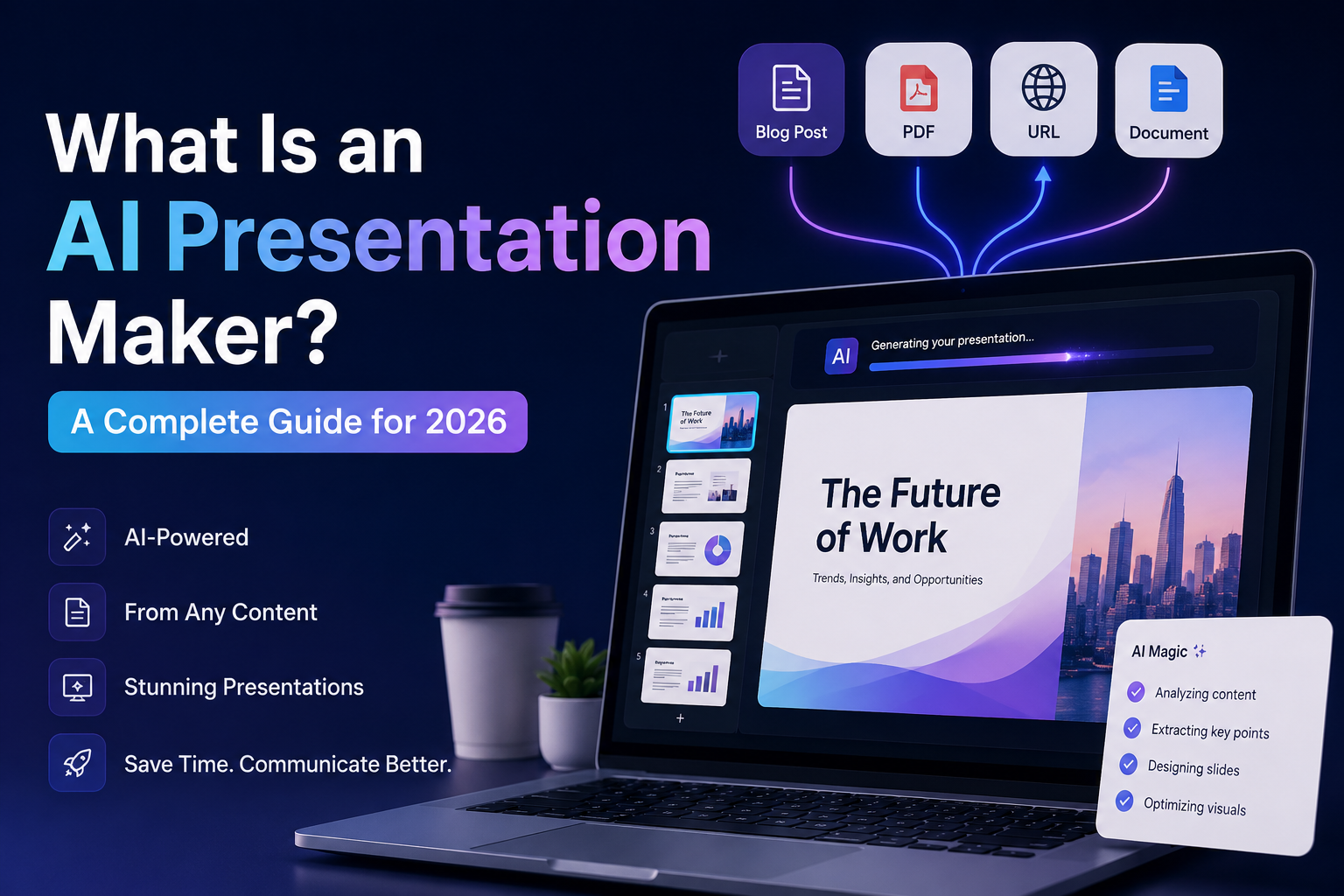
What Is an AI Presentation Maker? A Complete Guide for 2026
Creating a presentation used to mean opening a blank slide, choosing a template, writing the content, adjusting layouts, searching for visuals, fixing spacing, and hoping the final result looked professional.
That process works, but it is slow.
An AI presentation maker changes that workflow.
Instead of building every slide manually, you give the tool your idea, document, blog post, PDF, report, or website URL. The AI then helps turn that input into a structured presentation with slide titles, key points, layouts, visuals, and design direction.
In simple terms, an AI presentation maker helps you move from raw information to a usable slide deck faster.
But the best tools do more than generate slides.
They help you communicate clearly.
They help you organize your ideas.
They help you repurpose existing content into formats people can actually watch, skim, share, and remember.
That is why AI presentation tools are becoming useful for founders, marketers, students, educators, consultants, agencies, and content teams.
What Is an AI Presentation Maker?
An AI presentation maker is a tool that uses artificial intelligence to create presentation slides from a prompt, document, URL, blog post, PDF, notes, or other source material.
Instead of starting with a blank presentation, you start with information.
The AI analyzes your input, identifies the main ideas, arranges those ideas into a logical flow, and generates slides around them.
A good AI presentation maker can help with:
- Slide structure
- Presentation outlines
- Headline writing
- Summarization
- Layout suggestions
- Visual hierarchy
- Speaker-friendly formatting
- Slide-by-slide storytelling
- Export-ready presentation content
Some AI presentation tools focus mainly on simple slide generation.
Others, like InfoBlog, are built around a broader content repurposing workflow. That means you can turn one source of content into multiple visual formats, including presentations, social media carousels, infographics, and image-based assets.
[LINK: /ai-presentation-maker]
How Does an AI Presentation Maker Work?
Most AI presentation makers follow a similar process.
You provide an input.
The AI understands the content.
Then it generates a presentation from that content.
The workflow usually looks like this:
1. You provide the source content
This could be a simple prompt such as:
“Create a presentation about the future of AI in education.”
But it can also be more detailed.
For example, you might provide:
- A blog post
- A PDF report
- A business document
- A website URL
- A product page
- A case study
- A research summary
- A strategy note
- A sales document
- A long article
- A markdown file
The more useful your input is, the stronger the first draft can be.
2. The AI extracts the key ideas
The AI reads through your content and identifies what matters most.
It looks for:
- Main arguments
- Supporting points
- Repeated themes
- Key sections
- Important statistics
- Useful examples
- Clear takeaways
- Natural story flow
This step is important because presentations are not supposed to be full documents copied onto slides.
A strong presentation simplifies.
It chooses the most important ideas and gives each one enough space to breathe.
3. The AI creates a slide structure
Once the tool understands the source material, it turns the content into a slide-by-slide outline.
A basic structure may include:
- Title slide
- Problem slide
- Context slide
- Key insight slides
- Process or framework slide
- Example slide
- Summary slide
- Call-to-action slide
For business presentations, the structure may be more specific.
For example:
- Market problem
- Target audience
- Product solution
- Benefits
- Competitive advantage
- Pricing
- Roadmap
- Next steps
For educational presentations, the structure may focus more on definitions, examples, and learning outcomes.
4. The AI designs the presentation
After the structure is created, the tool applies design logic.
This may include:
- Slide layouts
- Typography
- Visual spacing
- Icons
- Charts
- Image suggestions
- Backgrounds
- Section dividers
- Color systems
- Visual emphasis
This is where the difference between a basic AI writing tool and an AI presentation maker becomes obvious.
A normal chatbot can help you write slide content.
An AI presentation maker helps you turn that content into an actual visual deck.
5. You edit and export
The best AI tools do not trap you inside a static output.
You should be able to edit the result.
That means adjusting text, changing layouts, replacing visuals, moving elements, modifying colors, and exporting the final version.
Depending on the tool, you may be able to export as:
- PowerPoint
- Images
- Web presentation
- Social media carousel
- Infographic
- Shareable link
This matters because the first AI output should be a starting point, not the final limit.
Why Use an AI Presentation Maker?
The main reason is speed.
But speed is not the only benefit.
A good AI presentation maker can help you create better presentations because it reduces the friction between having an idea and communicating that idea clearly.
1. It saves time
Manual presentation design can take hours.
You need to plan the structure, write slide content, pick a template, format every slide, and make the deck look consistent.
With AI, you can get a strong first draft much faster.
That does not mean you should publish the first version without reviewing it.
However, it does mean you are no longer starting from zero.
2. It helps you organize messy ideas
Many people do not struggle because they have no ideas.
They struggle because their ideas are scattered.
An AI presentation maker can help turn rough notes into a cleaner flow.
For example, you may have:
- A long document
- A messy brainstorm
- A product description
- A research report
- A blog post
- A meeting summary
The AI can help identify the strongest points and arrange them into a logical sequence.
3. It makes content repurposing easier
This is one of the biggest benefits.
Most teams already have valuable content sitting somewhere.
They have blog posts, PDFs, reports, internal documents, webinars, newsletters, and strategy notes.
The problem is that most of that content stays in one format.
An AI presentation maker helps you reuse that content.
For example, one blog post can become:
- A slide deck
- A LinkedIn carousel
- An infographic
- A pitch summary
- A teaching resource
- A social media post series
That is why InfoBlog focuses on content repurposing, not just slide creation.
The goal is not only to make one presentation.
The goal is to help one idea travel across many formats.
[LINK: /blog/how-to-repurpose-one-blog-post-into-5-pieces-of-content]
4. It lowers the design barrier
Not everyone is a designer.
But almost everyone needs to communicate visually.
Students need presentations.
Founders need pitch decks.
Marketers need campaign decks.
Consultants need client reports.
Educators need teaching slides.
Creators need visual content.
An AI presentation maker helps non-designers create something cleaner, faster, and more presentable.
5. It helps teams stay consistent
For teams, consistency matters.
A business does not want every deck to look completely different.
A good AI presentation tool can help maintain a consistent visual identity across presentations, carousels, and other content formats.
That includes:
- Brand colors
- Typography
- Logo placement
- Layout style
- Visual tone
- Content structure
This is especially useful for agencies, marketing teams, startups, and content teams that create visual material often.
Who Should Use an AI Presentation Maker?
AI presentation makers are useful for anyone who regularly explains ideas, teaches concepts, sells products, or turns information into visual communication.
Founders and startups
Founders can use AI presentation makers to create:
- Pitch decks
- Investor updates
- Product explainers
- Sales decks
- Demo presentations
- Strategy decks
Instead of spending days formatting slides, founders can focus more on the message.
Marketers and content teams
Marketing teams can use AI presentation tools to repurpose existing content into visual assets.
For example:
- Turn a blog post into a campaign deck
- Convert a report into a carousel
- Summarize a webinar into slides
- Create visual content from a case study
- Build internal strategy presentations
This helps content teams get more value from every piece of content they create.
Consultants and agencies
Consultants often work with reports, recommendations, research, and strategy documents.
An AI presentation maker can help turn that work into client-ready presentations faster.
This is useful for:
- Client proposals
- Audit reports
- Strategy presentations
- Workshop materials
- Monthly performance summaries
- Training decks
Students and educators
Students can use AI to create class presentations, project summaries, and research slides.
Educators can use it to create teaching materials, lesson slides, visual summaries, and study resources.
The key is to still review the work carefully.
AI can help with structure and formatting, but the user should always check accuracy and add personal understanding.
Creators and personal brands
Creators can use AI presentation makers to turn ideas into shareable visual content.
For example, a creator can turn one essay or blog post into:
- A LinkedIn carousel
- An Instagram carousel
- A short presentation
- A visual guide
- A content series
This is especially useful for creators who want to publish more consistently without designing every asset from scratch.
What Can You Create With an AI Presentation Maker?
Different tools support different formats.
Basic tools may only generate slide decks.
More advanced tools can support multiple visual outputs.
With a platform like InfoBlog, the goal is to help users generate and repurpose content into formats such as:
- Presentations
- Social media carousels
- Infographics
- Visual summaries
- AI-generated images
- Content assets for different platforms
This is important because modern communication does not happen in only one format.
A business may need a pitch deck.
A creator may need a carousel.
A teacher may need a visual lesson.
A marketer may need an infographic.
A founder may need all of them.
That is why an all-in-one content repurposing platform can be more useful than a simple slide generator.
AI Presentation Maker vs Traditional Presentation Software
Traditional presentation software gives you control.
AI presentation makers give you speed.
The best workflow may use both.
Traditional presentation tools are useful when:
- You already know the exact layout you want
- You need very detailed manual control
- You are working inside an existing company template
- You want to build every slide from scratch
- You have enough time to design manually
AI presentation makers are useful when:
- You want a fast first draft
- You have source content to repurpose
- You do not want to start from blank slides
- You need help structuring ideas
- You want to create multiple formats from one idea
- You need presentations, carousels, or infographics quickly
The difference is not only about design.
It is about workflow.
Traditional tools ask you to build.
AI tools help you generate, edit, and repurpose.
What to Look for in an AI Presentation Maker
Not every AI presentation maker is built the same.
Before choosing one, look for these features.
1. Multiple input options
A useful tool should accept more than just a short prompt.
Look for support for:
- Text prompts
- Blog posts
- PDFs
- URLs
- Documents
- Reports
- Notes
This makes the tool more useful because most real content already exists somewhere.
2. Strong content understanding
The tool should not simply copy long paragraphs into slides.
It should summarize, structure, and simplify.
Good presentation content is clear, visual, and easy to follow.
3. Editable output
This is very important.
You should be able to change the generated result.
Look for tools that let you edit:
- Text
- Layout
- Images
- Colors
- Visual elements
- Slide order
- Branding
AI should speed up the process, not lock you into something you cannot control.
4. Design quality
The output should look professional enough to use after editing.
Watch out for tools that generate slides that look generic, crowded, or template-heavy.
A good AI presentation maker should understand visual hierarchy.
That means each slide should have a clear focal point, readable text, and enough spacing.
5. Export options
The tool should let you export or share your work easily.
Common export options include:
- PPTX
- PNG
- JPG
- Shareable links
If you are creating social content, image export is especially important.
6. Brand consistency
For businesses and creators, brand consistency matters.
Look for features that support:
- Brand colors
- Logo usage
- Reusable styles
- Consistent templates
- Visual identity
7. Support for other formats
This is where a content repurposing platform becomes powerful.
If one tool can help you create presentations, carousels, infographics, and visual assets, you can get more value from your content without jumping between many apps.
Common Mistakes When Using AI Presentation Makers
AI can help you move faster, but it does not automatically make every presentation good.
Here are common mistakes to avoid.
Mistake 1: Using too much text
Slides should not look like documents.
If a slide has too much text, the audience will read instead of listen.
Keep one main idea per slide.
Use short lines.
Break complex ideas into multiple slides.
Mistake 2: Trusting the first draft completely
AI output should be reviewed.
Check facts.
Improve weak points.
Add examples.
Remove generic language.
Make sure the final deck sounds like you or your brand.
Mistake 3: Ignoring the audience
A presentation for investors is different from a presentation for students.
A sales deck is different from a research summary.
Before generating the deck, think about who it is for.
Your audience should shape the tone, structure, and level of detail.
Mistake 4: Using generic prompts
Weak prompts create weak results.
Instead of saying:
“Make a presentation about marketing.”
Try:
“Create a 10-slide presentation for startup founders explaining how to repurpose one blog post into five content formats. Use a practical tone, include examples, and end with a clear call to action.”
The more context you give, the better the output can be.
Mistake 5: Forgetting the call to action
Every presentation should lead somewhere.
The call to action could be:
- Book a demo
- Read the full report
- Try the product
- Join the program
- Approve the proposal
- Download the guide
- Start the workflow
A good deck should not just share information.
It should guide the viewer toward the next step.
How to Make a Better Presentation With AI
Here is a simple workflow you can use.
Step 1: Start with a clear goal
Before using the tool, decide what the presentation should achieve.
Ask:
- Who is this for?
- What should they understand?
- What should they remember?
- What should they do next?
Step 2: Provide strong source material
If you already have a blog post, PDF, report, or URL, use it.
AI works better when it has real context.
Step 3: Choose the right format
Do you need a business deck?
A teaching presentation?
A sales deck?
A social carousel?
An infographic?
The format should match the audience and platform.
Step 4: Generate the first draft
Let the AI create the structure and slides.
Do not expect perfection immediately.
The first draft gives you momentum.
Step 5: Edit for clarity
Review every slide.
Remove weak points.
Shorten long text.
Add stronger examples.
Make sure every slide has a purpose.
Step 6: Improve the visuals
Check spacing, contrast, images, icons, and layout balance.
If your tool supports advanced image generation, use it when you need more custom visuals instead of generic stock-style designs.
InfoBlog supports richer image generation using Gemini Nano Banana Pro when users have stronger design expectations.
Step 7: Export and repurpose
Once the presentation is ready, think beyond one format.
Can it become a carousel?
Can it become an infographic?
Can it become a short visual summary?
Can it support a blog post, newsletter, or social campaign?
This is where AI becomes more valuable.
It helps you multiply the value of one idea.
Why InfoBlog Is Built for Content Repurposing
Many AI presentation tools focus only on generating slides.
InfoBlog is built around a broader idea:
Your content should not stay trapped in one format.
A blog post can become a presentation.
A report can become an infographic.
A PDF can become a carousel.
A website can become a visual story.
A strategy document can become a deck.
InfoBlog helps turn existing content into visual formats that are easier to share, present, and reuse.
That makes it useful for creators, marketers, educators, founders, consultants, and teams that need to communicate ideas across different platforms.
Instead of starting from scratch every time, you can start with the content you already have.
[LINK: /]
Final Thoughts
An AI presentation maker is not just a shortcut for creating slides.
It is a new way to work with information.
It helps you take ideas, documents, articles, reports, and URLs and turn them into visual communication faster.
The best AI presentation tools do not replace your thinking.
They help you move from thinking to communicating.
They remove the blank-slide problem.
They speed up formatting.
They make content repurposing easier.
And they help more of your ideas reach the audience they were meant for.
If you create content, teach, sell, present, consult, or explain complex ideas, an AI presentation maker can become one of the most useful tools in your workflow.