The better alternative to Beautiful.ai for creating presentations.
Beautiful.ai revolutionized presentation software with its automated formatting, but its famously strict rules often leave users frustrated when they need just a bit more custom control. If you are looking for Beautiful.ai alternatives, discover how InfoBlog combines intelligent AI automation with unrestrictive design freedom. You can also explore our Canva vs Beautiful.ai comparison.

Sources and related context
AI presentation tools change quickly. These comparison pages now link to the official product pages used for feature checks, plus InfoBlog guides that explain URL-to-deck, PDF-to-deck, and carousel repurposing workflows in more depth.
Official sources
Related reading
Why are users leaving Beautiful.ai for InfoBlog?
You shouldn't have to fight your presentation software to move a text box.

InfoBlog vs Beautiful.ai, side by side
See exactly how the two stack up, feature by feature.
| Feature | | |
|---|---|---|
| AI-Powered Presentation Generation | ||
| Automated Carousel Generation | ||
| Multiple Social Media Aspect Ratios | ||
| Import Content directly from URL | ||
| High-Fidelity Export to Microsoft PPTX |
Winner: InfoBlog
Which software is easiest to use?
Beautiful.ai is easy to use right up until you try to do something outside of its rigid rules, at which point it becomes incredibly frustrating. InfoBlog provides the same immediate 'done-for-you' layout automation, but crucially, it doesn't lock down the canvas. You are free to move, resize, and delete anything.
Creating with InfoBlog
InfoBlog follows a clear, step-by-step guide. There is little to no learning curve — even a first-time user can create a polished presentation.
Creating with Beautiful.ai
Beautiful.ai gets the job done but forces you into specific layout rules or standard themes, requiring more time to tweak and adjust.
Winner: InfoBlog
Which software has the best designs?
Beautiful.ai's 'smart slides' frequently break or look awkward if you type too many words into a designated box. InfoBlog's Smart Templates actively solve this by dynamically scaling text and adjusting the layout architecture to perfectly accommodate your AI-generated content without throwing an error.
| Feature | | |
|---|---|---|
| Primary design focus | AI Repurposing & Carousels | Strict Corporate Presentations |
| Smart Templates (Auto-scaling text) | Yes - Dynamic | Yes - Rigid |
| Canvas Editing Freedom | Unrestricted | Highly Restricted |
| Professional brand aesthetics | Premium | Clean & Corporate |
InfoBlog Smart Templates
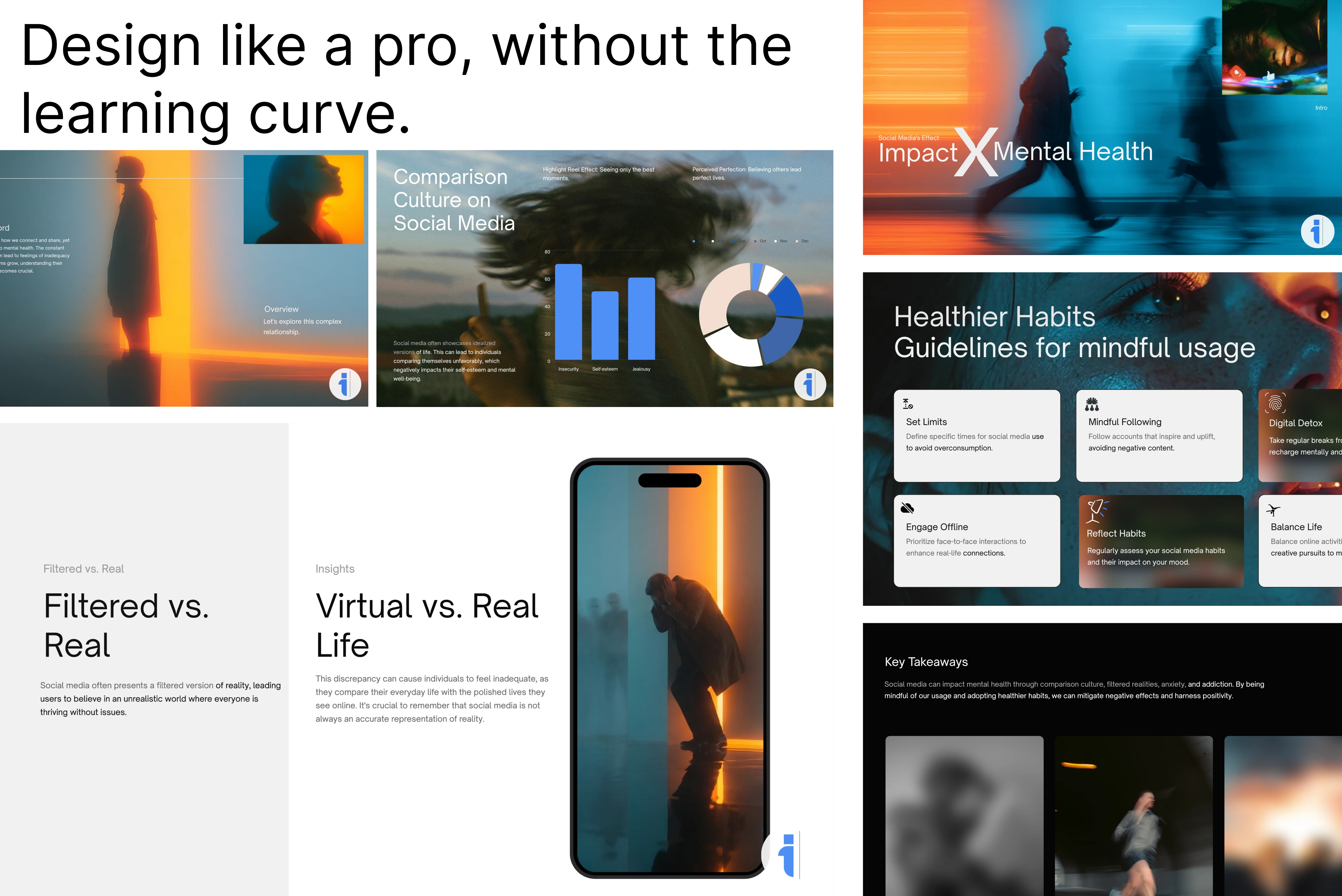
InfoBlog's Smart Templates intelligently adapt to the exact length and context of your content, meaning less time adjusting layouts and more time publishing.
22+ Premium Natural Templates
In addition to AI-driven Smart Templates, InfoBlog offers a growing library of 22+ highly-customizable natural templates for every usecase.
Beautiful.ai themes
Beautiful.ai relies heavily on predefined template palettes. While you can often change colors quickly, the underlying layout structures can be more rigid and less adaptive to complex content.
Winner: InfoBlog
Which platform is best for creating presentations with AI?
Beautiful.ai's DesignerBot is a basic prompt-to-slide tool. InfoBlog is a deep content repurposing engine capable of digesting massive URLs, PDFs, and articles, and summarizing them into highly structured presentations and social media carousels.
| Feature | | |
|---|---|---|
| Instantly Convert URL to Presentation Deck | Yes | No |
| Automated Carousel Generation | Yes | No |
| Dynamic Content Scaling & Summarization | Yes | Partial |
How it works with InfoBlog
Paste your link or document
Simply paste a blog URL, YouTube link, or upload a document directly into the engine.

AI Repurposes Content
Our engine extracts the key narrative and automatically restructures it into presentation slides or social carousels.
Publish or Export
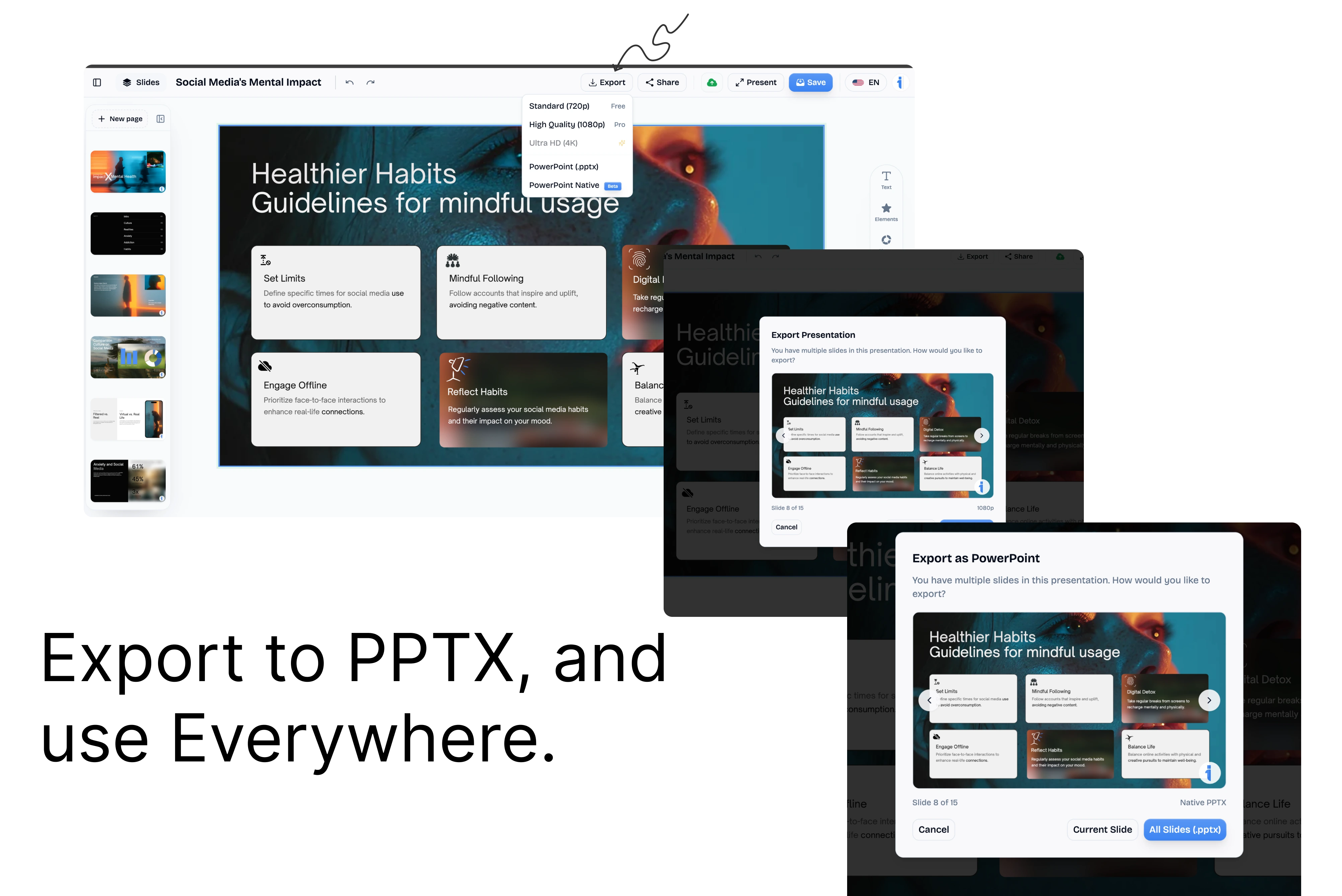
Preview your deck, apply a custom template, and export it as PDF, PPTX, or share it online.
The final verdict: If you want strict corporate guardrails that absolutely prevent you from customizing layouts, Beautiful.ai works well. If you want the speed of AI generation combined with the freedom of a true design canvas, InfoBlog is the ultimate alternative. For more AI comparisons, check out <a href="/compare/popai-vs-beautiful.ai" class="text-primary hover:underline">PopAi vs Beautiful.ai</a>.
Frequently Asked Questions
Is there a free alternative to Beautiful.ai?
Yes, InfoBlog offers a generous free tier that allows you to generate and export beautiful AI presentations and social carousels without the restrictive layout locks.
Why choose InfoBlog?
The superior alternative built specifically for marketers, creators, and professionals who need powerful content repurposing.
AI Presentation Generation
Instantly turn any blog or document into a professional, ready-to-present deck.
Social Carousel Engine
Generate dynamic, high-engagement LinkedIn and Twitter carousels with a single click.
Smart Templates
18+ content-adaptive templates that automatically format to fit your unique content structure.
Brand Kit Integration
Automatically apply your company's custom fonts, colors, and logos to every generated design.
No Rigid Layouts
Enjoy total editing freedom. Unlike Gamma's constrained themes, customize any element effortlessly.
Blazing Fast Export
Export your final designs directly to PDF or PowerPoint in seconds, without watermarks.